Workshop · From drop-off to pickup.
The workshop without the paper chaos.
From the drop-off receipt to pickup: every repair order has a clear status, and your customers follow it themselves by QR code instead of calling you.
Book a demo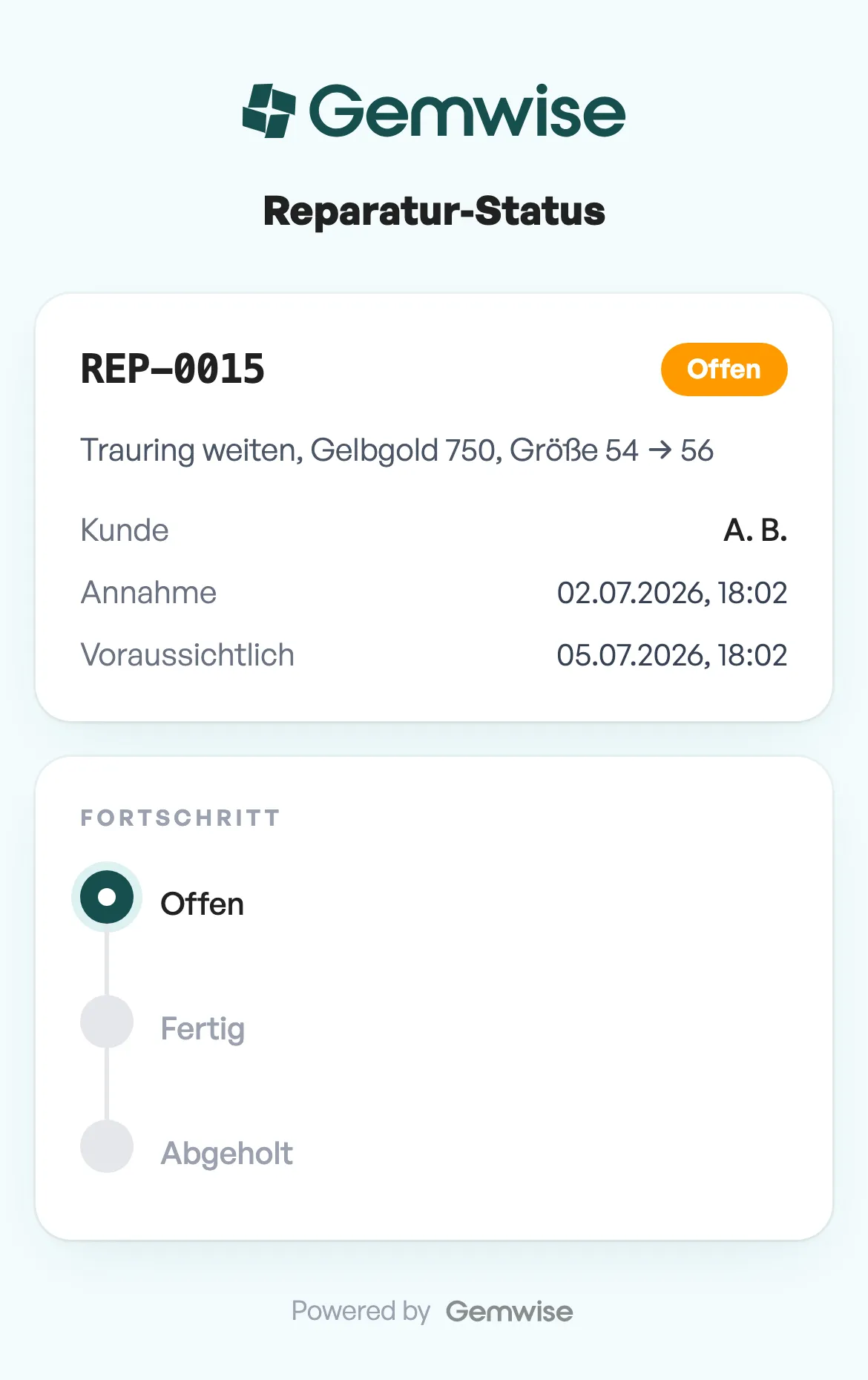
Order intake
- Clear order status: open, ready, collected
- Kanban board for a clear view of the workshop
- Diagnosis notes right on the order
- Priority, assignee and a planned completion date per order
- Photos right on the order, from intake to pickup
Customer communication
- Estimates with documented customer approval
- QR code on the drop-off receipt
- Two slips per order: one for the workshop, one for your customer
- Public order tracking, with no login and no app
Processing
- Work logs per order
- Parts used recorded on the order
- Billing through the till, TSE-signed
For the workshop
Fewer status calls: your customers check for themselves.
The QR code on the drop-off receipt leads to the order tracking page: diagnosis, estimate, status and pickup readiness. Your customers stay informed without calling, and you spend that time at the counter instead of on the phone.
Try it
This is what your customer sees.
The QR code on the intake slip leads to this view. Click through the stations; this is exactly how a real order moves through your workshop.
Order R-2041
Ring, resizing 54 to 56
- Open The order is logged, with a photo and an intake slip. Diagnosis and estimate run here, and the customer approves.
- Ready The work is done and the ring is ready to collect.
- Collected Collected and settled at the till, TSE-signed.
More modules
POS
From the scan to the signed receipt, no detours.
Touch-friendly, prints receipts and drives a customer display. Every sale is TSE-signed automatically.
View moduleInventory
From purchase order to shelf, without gaps.
Live stock levels, purchase orders, suppliers, online shop integration, and a noticeably faster stocktake.
View moduleTax office
Right from the start, not retrofitted.
TSE signing, GoBD archiving, DSFinV-K export and a DATEV connection. Built in, at no extra cost.
View moduleCommon questions about this module
How do my customers see the status of their repair?
Is the workshop included in the price?
See the workshop in action.
We'll walk you through the complete repair workflow live, from drop-off to QR tracking.